 Ntwine
GitHub
Turn issues and PRs into threads, and let watchers pick work back up.
From the composer
You can browse your repo's issues and pull requests from the prompt box. Select as many as you like, and each one becomes its own thread.
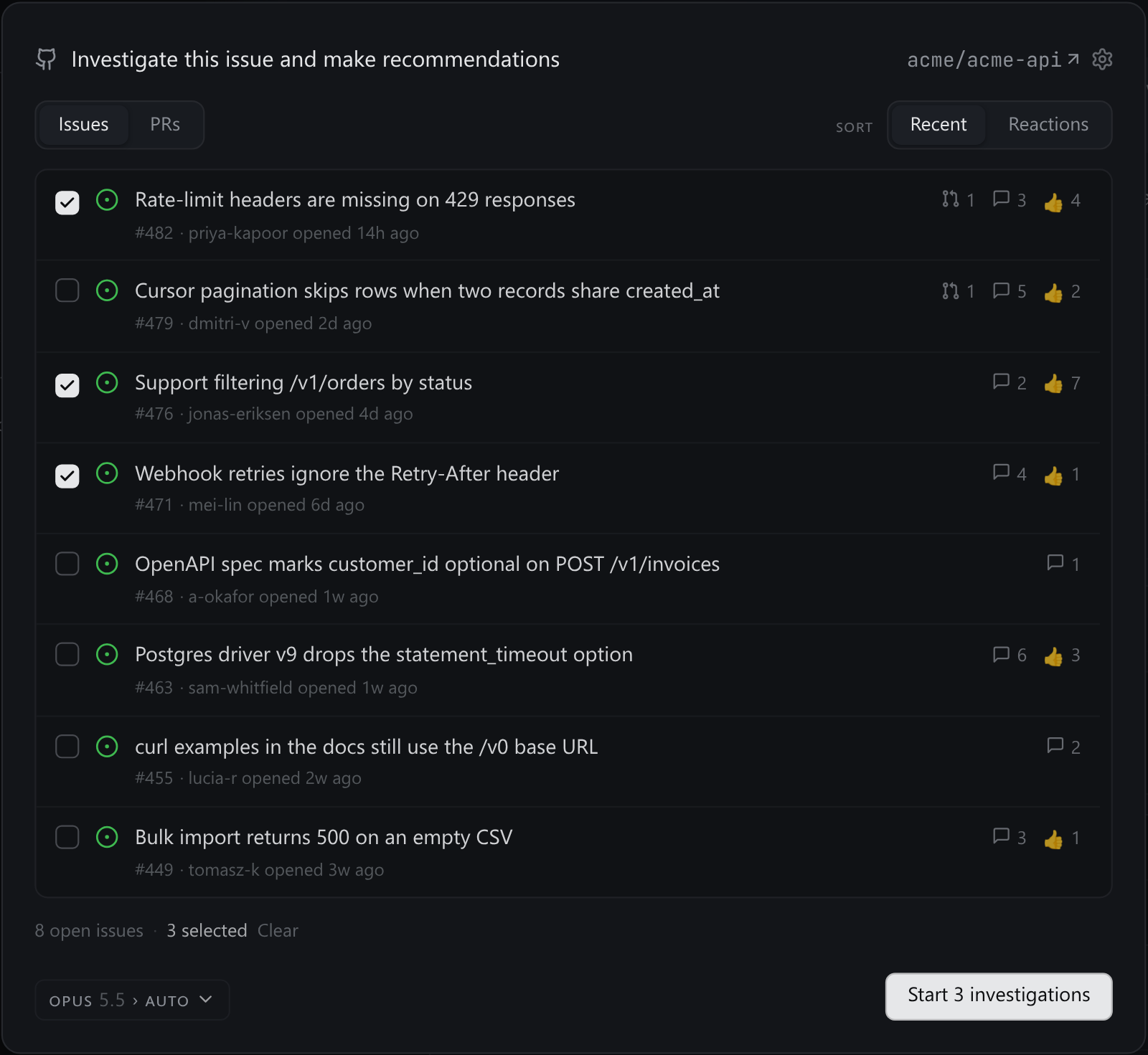
Each item is dispatched with one prompt, which you can edit from the picker's gear. By default, the worker reads the whole thread and then branches: a reproduction and fix plan for a bug, a plan for a feature, or a review for a PR.
Read, never write
Workers read issues, diffs and CI on their own, through the gh you're signed in to. A worker never comments, labels, closes, merges or opens a pull request unless you ask it to.
Watchers
When a worker is waiting on a build, a review or a reporter's reply, it doesn't hand the thread back just so you can tell it "keep going." It registers a watch and rests, out of the queue, until something happens:
- A pull request wakes it when CI goes green or red, on a review, approval or comment, when a label moves, when it starts conflicting with its base, and when CI is waiting for a maintainer's approval.
- An issue wakes it on a comment, a label, an assignee, and when it closes.
A watched PR's CI shows on the thread's card while the thread is still working.